And a Happy New Year to everyone, as we start off the year the way we mean to continue, with a meet up at Julias place, The Stamping Ground.
I've been having a sort out of things I need to get done- and tidying my die cuts was well overdue. I took this storage idea from Diana, at A Velvet Moth Studios.
You can buy these storage pockets in all sorts of size permutations, (mine came from Amazon) making them perfect for storing something like this. They range from coin sized holders, up to A5/postcard size pockets, as they are intended as storage pockets for things like Trading Cards, currency, postcards etc.
Some more die cutting happening- it's one way to use up scraps of cardstock to big to throw, but too small for use 'as is'.
On my other desk, I've sorted out the pack of card fronts made with Mixed Media dies, and hopefully I'll get those made up into cards over the next week.
In other news, a couple of posts down is a post about Versafine Clair inkpads. If you haven't seen them yet, they seem to be like the original
Versafine, but coming in a wider range of colours. The new black is
really good, I'd say even better than the original.
Had my CT scan on Saturday, and have an appointment to see the Radiologist on the 9th, so fingers crossed.
I think I may finally be getting rid of the cough/cold I've had for what feels like the whole of December, I know loads of people have had it, and it really does linger.
And finally...............
Pages
A warm welcome to all my visitors,
Thank you for taking the time to come and look at my blog, I really do appreciate it. I would love you to leave me a comment, even if it’s just to say Hi. It means I can come visit you!
All my designs are original, so copyrighted to me. If I have been inspired by someone elses work, I have named them in the post, and where able, I have provided a link.
Please feel free to use my designs for inspiration, I just ask you to credit me, and provide a link back to my blog.
Thanks, Shaz XX
Showing posts with label cuttlebug. Show all posts
Wednesday, 3 January 2018
Sunday, 17 May 2015
A Black & White Wedding card
So, this did get a mention a couple of weeks ago on the WOYWW post, and I promised a photo step by step guide, along with a How-to, after the card had been given. Well, the Wedding was yesterday, so here is the card.
The base is an A4 sheet of White Stardream card, scored and folded in half.
A sheet of black card was cut to fit the front of the card, then another piece of Stardream white was cut to fit onto the black, just leaving a very narrow border.

The white sheet was embossed with the Couture Creations folder, Tied Together, then the shaped edge was cut using one of the Spellbinders Borderabilities, Curved Borders 2.


I've enlarged that image here, you can see you get 3 fancy borders, then two which have a sort of 'stitched' line of embossing, one has a dotted line, and one is plain.They also have notches on them, so you can line up to cut a longer piece. I used the scalloped one to cut the top half of the card.
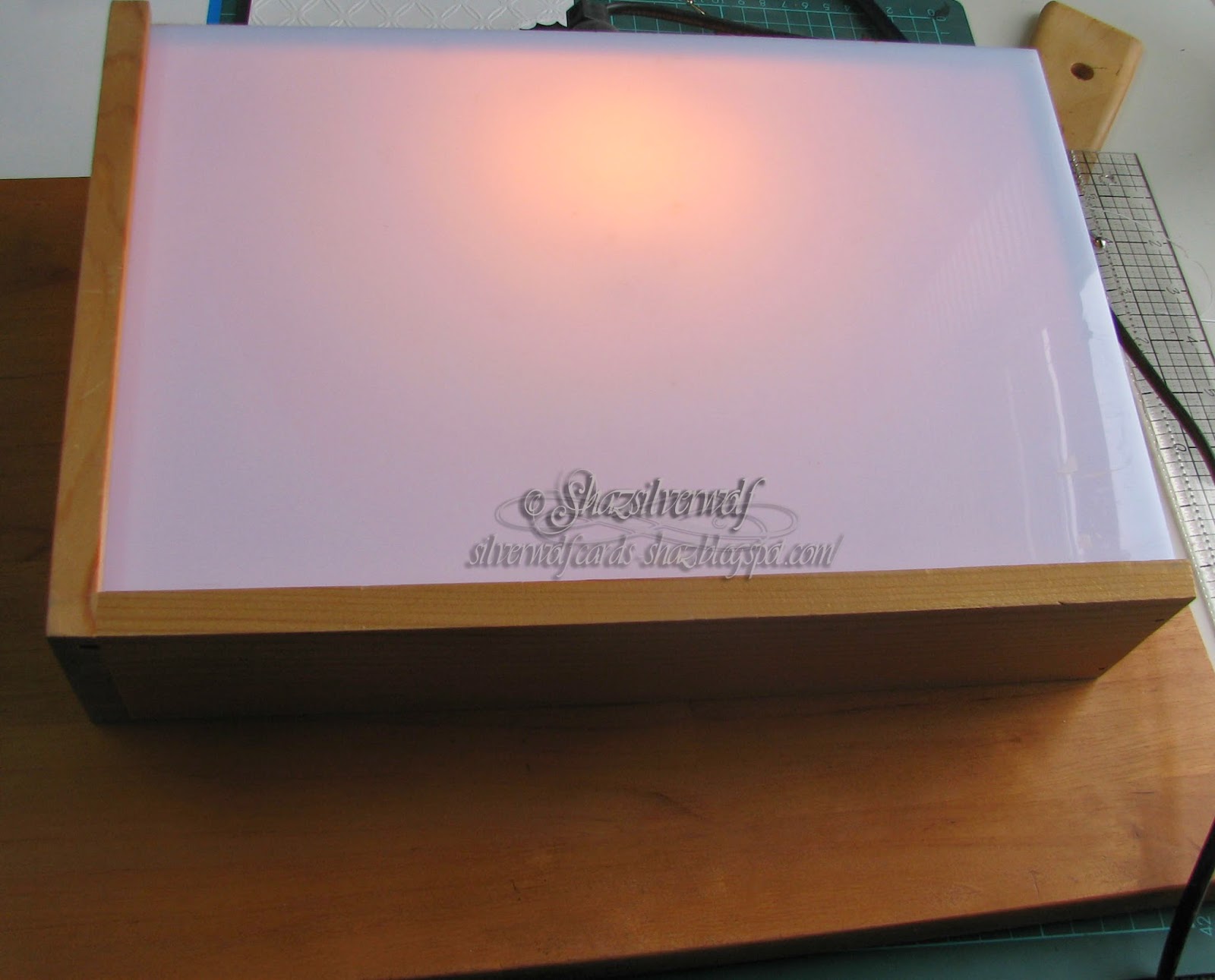
I wanted a different embossing on the bottom half, and had a metal stencil I wanted to use for this. So for this one we are going 'old school'! I could no doubt of looked up online, or figured out myself what plates/shims etc I needed to do it with my BS Pro, but in the time that took, I could have done it by hand. So out came the old lightbox.
Two tips for these, if you still have one. First, DON'T use it directly on top of a craft mat- the heat from the bulb will warp it. Yes, been there, done that, got the ruined mat to prove it.
Second, if the light is not as bright as you'd like, put a small mirror, or mirror tile, underneath it.

This was the stencil, and it was only the lines at the bottom I wanted, so it was an easy thing to emboss by hand.
Another piece of Stardream card, and two different embossing tools used- a wider one for the wide lines and a narrow one for the thinner ones. I also needed to make the piece slightly bigger than the lines on the stencil, to allow for cutting it at an angle, so I just moved the cardstock down, and lengthened them. Tip here, don't go all the way to the end of the stencil lines if you are doing this- you tend to get a harsh line that its hard to emboss out. If you go half or two thirds of the way, you can then carry on easily.

To cut the curve on this one, I used the plain curve in the Borderabilities set. You do need to check your curve against the top one you've already cut, to get a balanced gap between them, and position your edge cutting die accordingly. You will probably also need to extend it a little too, but that's easy to do with the lining up notches.
This was the embossed sheet, which now needed to be cut to fit with the top piece.

Laid out on the black card to make sure they fit, and match.
Then foam tape added to the back, so they would have dimension against the black card.
And then stuck in place.

Next step was to cut the hearts for the front, and originally I had been going to use the X-Cut set of hearts I have.
Then I realised I didn't like how big the gap was from one size to the next, so instead I used a Nellie Snellen set I have, which has a lot more dies, with a narrower graduation of sizes.
I used the central two dies in the top batch for my topper. The larger one cut from some scrap black, and the smaller from a piece of the Stardream white. The white heart was run through the Cuttlebug in the Swiss Dots embossing folder.
I matted them together, and mounted them on the card with more foam tape.
Once that was in place, I used white and black half pearls to decorate the joins in the Tied Together embossed piece, attaching them with Pinflair Glue Gel.


Last but one touch was wrapping black and white ribbon around the card front, and tying in a bow. Final bit was cutting a small piece of card, using the plain border again, and adding the couples names with some small silver peel off letters. Again, foam dots used to add this to the bottom right of the card.
Final pic: the Happy Couple.
The base is an A4 sheet of White Stardream card, scored and folded in half.
The white sheet was embossed with the Couture Creations folder, Tied Together, then the shaped edge was cut using one of the Spellbinders Borderabilities, Curved Borders 2.
I've enlarged that image here, you can see you get 3 fancy borders, then two which have a sort of 'stitched' line of embossing, one has a dotted line, and one is plain.They also have notches on them, so you can line up to cut a longer piece. I used the scalloped one to cut the top half of the card.
I wanted a different embossing on the bottom half, and had a metal stencil I wanted to use for this. So for this one we are going 'old school'! I could no doubt of looked up online, or figured out myself what plates/shims etc I needed to do it with my BS Pro, but in the time that took, I could have done it by hand. So out came the old lightbox.
Two tips for these, if you still have one. First, DON'T use it directly on top of a craft mat- the heat from the bulb will warp it. Yes, been there, done that, got the ruined mat to prove it.
Second, if the light is not as bright as you'd like, put a small mirror, or mirror tile, underneath it.
This was the stencil, and it was only the lines at the bottom I wanted, so it was an easy thing to emboss by hand.
Another piece of Stardream card, and two different embossing tools used- a wider one for the wide lines and a narrow one for the thinner ones. I also needed to make the piece slightly bigger than the lines on the stencil, to allow for cutting it at an angle, so I just moved the cardstock down, and lengthened them. Tip here, don't go all the way to the end of the stencil lines if you are doing this- you tend to get a harsh line that its hard to emboss out. If you go half or two thirds of the way, you can then carry on easily.
To cut the curve on this one, I used the plain curve in the Borderabilities set. You do need to check your curve against the top one you've already cut, to get a balanced gap between them, and position your edge cutting die accordingly. You will probably also need to extend it a little too, but that's easy to do with the lining up notches.
This was the embossed sheet, which now needed to be cut to fit with the top piece.
Laid out on the black card to make sure they fit, and match.
Then foam tape added to the back, so they would have dimension against the black card.
And then stuck in place.
Next step was to cut the hearts for the front, and originally I had been going to use the X-Cut set of hearts I have.
Then I realised I didn't like how big the gap was from one size to the next, so instead I used a Nellie Snellen set I have, which has a lot more dies, with a narrower graduation of sizes.
I used the central two dies in the top batch for my topper. The larger one cut from some scrap black, and the smaller from a piece of the Stardream white. The white heart was run through the Cuttlebug in the Swiss Dots embossing folder.
I matted them together, and mounted them on the card with more foam tape.
Once that was in place, I used white and black half pearls to decorate the joins in the Tied Together embossed piece, attaching them with Pinflair Glue Gel.

Last but one touch was wrapping black and white ribbon around the card front, and tying in a bow. Final bit was cutting a small piece of card, using the plain border again, and adding the couples names with some small silver peel off letters. Again, foam dots used to add this to the bottom right of the card.
Final pic: the Happy Couple.
Monday, 11 November 2013
Fixing warped Cuttlebug plates!
I take no credit for this discovery, a lady posted this on Pinterest HERE.Like any of us, I hate having to spend money on 'consumables', and new 'bug plates are not cheap, are they? As one of my 'B' plates was quite warped, and full of bits of paper stuck in the cutting marks, I thought I'd give it a try.
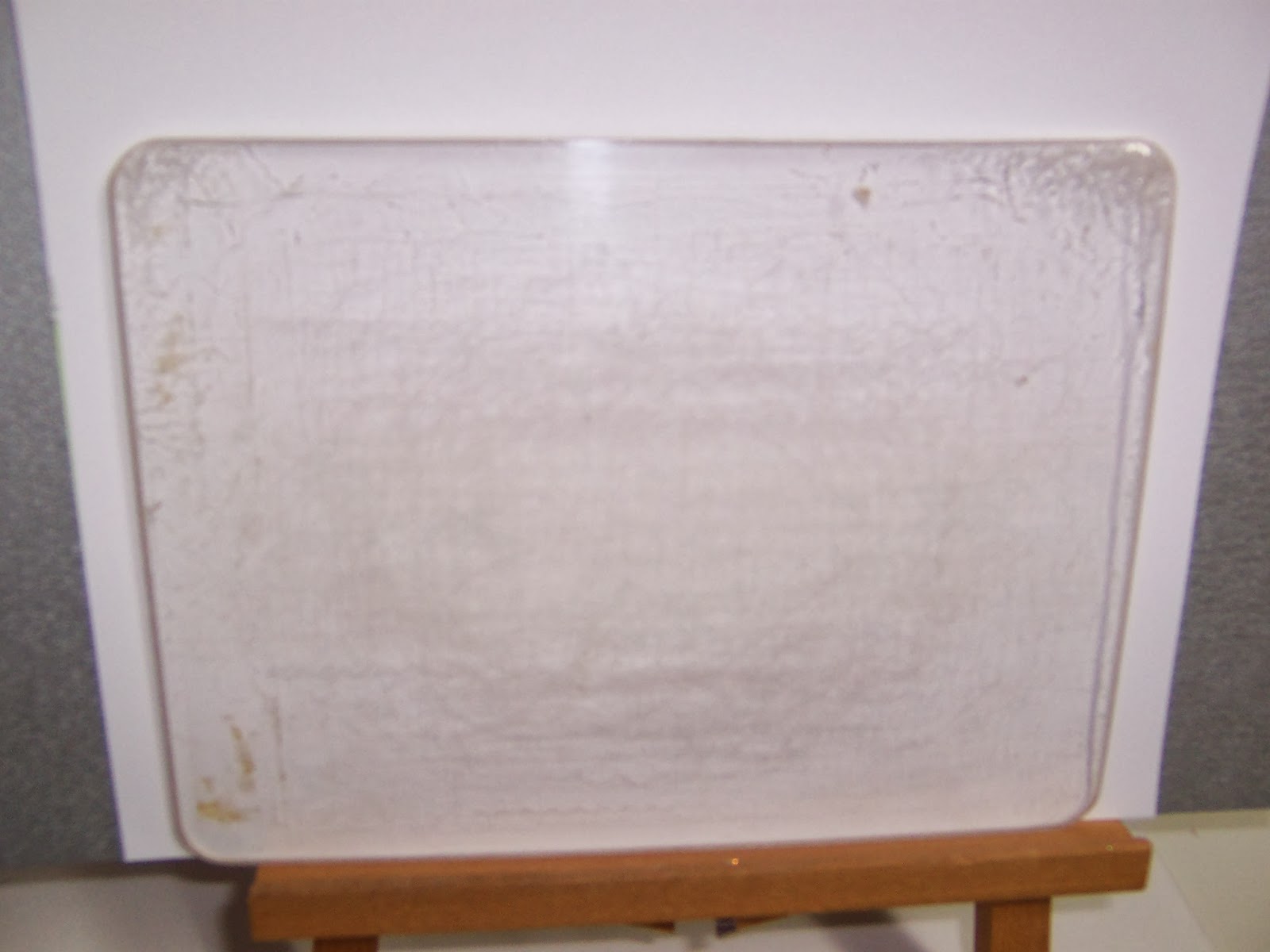
This was my 'B' plate before:
I don't think the bend in the plate shows up at all, but it was quite bent, despite keep flipping it when I used it.
What she did was wrap it in tinfoil, put it on a baking tray, put some weight on top of it, and then cooked it at 170C,325, or gas mark 3, for half an hour.

So I wrapped it up, and I used a good quality thick foil for it,and put it on a tray, with 2 pyrex dishes and a stone lasagne dish on top.
She doesn't say if she had a fan assisted oven, so to be on the safe side, I knocked 10 minutes off the cooking time. When it came out, I left it to cool, then unwrapped it. The result was pretty flat, although the heat had got to a couple of the corners.
So I wrapped it in a second coat of foil, and as I was about to cook Toad in the Hole for dinner, I waited till that had finished, then put the tray back in the oven after I had turned it off, and just used the residual heat of the oven.
And this is my 'B' plate now- nice and flat, and all the bits of paper have dropped out.
Bit easier to see against a white background- you can see the top two corners felt the heat a little too much. I'd recommend putting two tin-foil coats on it, more if its a cheaper thin foil, (which is what I normally buy from Poundland, lol, only got the Bacofoil 'cos Tesco had it going cheap!) and maybe some extra on the corners too. But it really does work! Makes them nice and flat again, and pops out all the paper. You still have the cutting marks, but that doesn't affect how they cut.

Before & After
This was my 'B' plate before:
I don't think the bend in the plate shows up at all, but it was quite bent, despite keep flipping it when I used it.
What she did was wrap it in tinfoil, put it on a baking tray, put some weight on top of it, and then cooked it at 170C,325, or gas mark 3, for half an hour.

So I wrapped it up, and I used a good quality thick foil for it,and put it on a tray, with 2 pyrex dishes and a stone lasagne dish on top.
She doesn't say if she had a fan assisted oven, so to be on the safe side, I knocked 10 minutes off the cooking time. When it came out, I left it to cool, then unwrapped it. The result was pretty flat, although the heat had got to a couple of the corners.So I wrapped it in a second coat of foil, and as I was about to cook Toad in the Hole for dinner, I waited till that had finished, then put the tray back in the oven after I had turned it off, and just used the residual heat of the oven.
And this is my 'B' plate now- nice and flat, and all the bits of paper have dropped out.
Bit easier to see against a white background- you can see the top two corners felt the heat a little too much. I'd recommend putting two tin-foil coats on it, more if its a cheaper thin foil, (which is what I normally buy from Poundland, lol, only got the Bacofoil 'cos Tesco had it going cheap!) and maybe some extra on the corners too. But it really does work! Makes them nice and flat again, and pops out all the paper. You still have the cutting marks, but that doesn't affect how they cut.

Before & After
Sunday, 19 May 2013
Making your own shadow stamps
I've seen mention before about making your own stamps from Fun Foam, and you can get this stuff really cheap. I know I've seen it in The Works, and I've also got it from our local Poundland. I think there's about 10 sheets to a pack, and they're usually A4 size.I cut myself some circles, and scalloped circles, using Framelits dies through the Cuttlebug.
I lay the dies onto the A plate, C plate stack, then the foam, then my B plate.I also did some Hexagons, and some Large Labels, both Nestabilities dies.
Then I had a thought. What if I ran them through an embossing folder? So I did.
This is the Tim Holtz Woodgrain folder. I recall reading that you could heat it with a heat gun and stamp into it, to get a reverse image stamp, so I heated it for a few seconds first. I also tried it without heating, and I don't really think it made a huge amount of difference to the impression either way.Next I tried cutting out some circles from the embossed sheet.
You also get a choice of embossed or debossed stamp, as it comes out double sided!
Now I was curious to see how it would stamp.
I stuck it to an acrylic block- I meant to use repositionable tape, I picked up the wrong one- but it cleaned up ok. Its better to put the tape on the block, it doesn't go onto the foam very well.

I inked it with DI, Salty Ocean all over, then Chipped Sapphire around the edge.

Typically with DI, it gave a grungy, faded print.
Then,I made a useful discovery. I cleaned the stamp up with a baby wipe, and it was still damp when I re-inked it. This made the ink go onto the stamp better. Just out of interest, I stamped one print after another. I got a total of 11 prints, each slightly more faded than the last, out of one inking.
Now I went into full embossing mode, lol. This is a Darice folder, Brick Wall, and I think I will cut this one into squares & oblongs.
This is a Tim Holtz folder, brickwork. I also discovered that if you aren't happy with how its embossed, if you heat it, or re-heat it, you can take the design out, then re-emboss.I did that with these Hexagons I embossed in a Honeycomb folder.
When I started this, I embossed the sheets first, then cut them out. I wasn't sure if embossing them after cutting the shapes would cause them to distort. I found that depending on the die you are using, you may get a light outline around your shape. This happened with the Honeycomb folder I cut up with Hexagons. So I reheated them, then re-embossed the cut out shape.
Good news is that the shapes don't distort when embossed.

Using Fun Foam in embossing folders through a Cuttlebug requires some trial & error.
Mine would not take the normal sandwich for an embossing folder with card, plus some Darice & Tim folders are thicker anyway, and already require a bit of re-jigging. And some foam is thicker than others!
The sandwich that worked for me is:
A plate
C plate,
Embossing folder with foam
2 or 3 sheets of cardstock shim

So I gave the stamping a go- I wiped the stamp first with a baby wipe, to moisten it, then added the ink. DI Mustard Seed & Spiced Marmalade again.
I think I was a bit heavy handed with the Spiced Marmalade, so tried it again adding it with a sponge this time.
Another experiment with how many prints I could get. This time I got 10 from a single inking.
A quick try out with a different combo- Adirondack Raspberry & DI Dusty Concord. Sponged on the edge colour again trying to avoid any hard lines, and this seems to work best.
5 nice prints, and I would have got 2 or 3 more paler ones.
I've been thinking that if I coated the foam stamp in Clear Embossing ink, or Versamark first, then added colour, I would be able to heat emboss it. And I think that if I heated the foam up, then let it cool before inking, I'd get a smoother surface.
Something to try out next.
Supplies:
Darice embossing folder, Honeycomb
Darice embossing Folder, Brick Wall
Tim Holtx texture fades folders, Woodgrain & Bricked, which comes as a two-pack. (I could find it on Amazon, at a silly price, but there have to be other stores that have it)
Fun Foam/Funky Foam
Dye inks.
Subscribe to:
Posts (Atom)
An End of an era
An end of an era
I write this with a broken heart, that only time can heal My beautiful, wonderful wifelet Shaz (Silverwolf) passed away peacefully in the ea...
-
A couple of weeks ago I mentioned that I had bought these, the new Tim Holtz Embossing Diffusers. You have probably seen, like me, the...
-
I take no credit for this discovery, a lady posted this on Pinterest HERE .Like any of us, I hate having to spend money on 'consumables...
-
This is the first of the batch of seven cards I made, thanks to some Pinterest inspiration. Here is the card that caught my eye,...